
Home » Download

TK66 App Download: Safe, Fast Access on Android and iOS
Fast, trusted TK66 app download for BD mobile players and fans
Get the TK66 mobile app for quicker entry, cleaner menus, and match-day updates that fit busy schedules. Live cricket markets load fast, JILI games open in seconds, and notifications keep you on time for toss, odds boosts, and results. Your data and device stay in sync for a smooth experience across short sessions.
If you prefer the browser, you can always use TK66 Main Site for access. The app is built for mobile habits in BD: quick login, low data use, and strong account checks so the name on your profile matches the name on your chosen payment method.
Why the TK66 mobile app fits short sessions and reliable data connections
The TK66 app cuts waiting, reduces taps, and focuses on essentials. It’s built for fast access on limited data and for quick checks during live play.
Made for quick sessions on mobile data
Pages and markets cache smartly, so you spend less data and time. Open the app, swipe to your sport or game, confirm, and move on.
Faster TK66 login and safer account protection
Use a 4-digit PIN or biometrics for instant TK66 login. Device binding, logout reminders, and new-device alerts help protect your account from misuse.
Live cricket alerts and instant entry to JILI slots
Follow match scores and price swings with timely notifications. Jump straight into JILI slots or tables without long load screens between games.
Simple sign-up with payment name match for trust
New to TK66? Use TK66 Register to create your account quickly. Enter your real details so verification and withdrawals go through without delays.
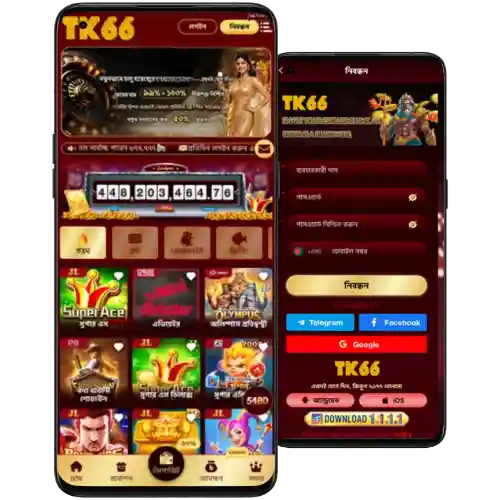
Simple steps to download, install, and update your TK66 mobile app
- Go to the TK66 official site on your phone’s browser.
- Tap Download and choose Android or iOS.
- On Android: allow your browser’s “Install unknown apps” permission if asked.
- Open the downloaded file and confirm Install. Wait for the setup to finish.
- On iOS: tap Get for iOS, then follow the on-screen guide to add to Home Screen or trust the profile.
- Open TK66, allow notifications for score and offer alerts.
- Sign in or create your account, then set a PIN or biometrics for quick entry.
- When updates appear, tap Update in-app to stay current and secure.
For Android users who prefer a direct file, get the TK66 APK from the official source. This keeps your TK66 app download fast, safe, and up to date.
Essential mobile features that keep play fast, focused, and interruption-free
- One-tap entry with PIN or fingerprint for the TK66 app.
- Lighter data use and caching for smoother play over mobile networks.
- Live TK66 cricket score alerts and quick market refresh.
- Instant access to JILI slots and popular tables without long load times.
- Cleaner navigation with large buttons made for small screens.
- Smart notifications for results, logins, offers, and security updates.
Exclusive app-only bonuses, reload offers, and alerts for match days
Install the TK66 mobile app to qualify for selected TK66 bonus campaigns tied to app logins and push alerts. Watch for match-day reloads and early-bird offers before the toss.
Turn on notifications to receive odds boosts during big fixtures and limited-time gifts for JILI fans. You can track live offers in the app’s promo tab or through TK66 Promotions alerts.
Frequently asked questions about downloading, installing, and using the TK66 app
Is the TK66 app free to download and use?
Yes. The app is free. Standard data charges from your mobile provider may apply while downloading or using it.
Where do I get the latest version of the app?
Use the TK66 official site or the in-app Update prompt. This ensures you get the newest features and security fixes.
Why does Android ask to allow installs from this source?
Android blocks unknown sources by default. Enable the permission for your browser once, install the file, then turn it off if you like.
How do I sign in if I forgot my details?
Use the TK66 login screen and select Forgot password. Verify by OTP, set a new password, and then enable PIN or biometrics for quicker access.
Can I install the app on iOS devices?
Yes. Tap Get for iOS on the site, follow the on-screen guide to add to Home Screen or trust the profile, then open the app and sign in.
Ready to play faster? Get the app and start smarter today
Download now for quick entry, better alerts, and controls built for phones. Track cricket scores live, launch JILI in seconds, and enjoy clearer menus that save time.
Stay sharp on match days with fast updates and smart notifications. Install the TK66 mobile app to keep play close and decisions quicker, wherever you are.